

windows 7蓝屏代码1000008E解决 ***
问题反映:windows 7电脑在浏览网页时候出现蓝屏,使用的浏览器是IE 11,windows 7蓝屏代码008e,附上蓝屏日志信息,请帮助解决。
蓝屏日志如下:
复制代码代码如下:
microsoft (R) Windows Debugger Version 6.11.0001.404 X86
Copyright (c) Microsoft Corporation. All rights reserved.
Loading Dump File [C:Documents and SettingsAdministrator桌面71614-18203-01.dmp]
Mini Kernel Dump File: Only registers and stack trace are avAIlable
Symbol search path is: *** Invalid ***
*********************************************************************
* Symbol loading may be unreliable without a symbol search path. *
* Use .symfix to have the debugger choose a symbol path. *
* After setting your symbol path, use .reload to refresh symbol locations. *
*************************************************************
Executable search path is:
*********************************************************************
* Symbols can not be loaded because symbol path is not initialized. *
* *
* The Symbol Path can be set by: *
* using the _NT_SYMBOL_PATH environment variable. *
* using the -y argument when starting the debugger. *
* using .sympath and .sympath+ *
*********************************************************************
Unable to load image ntoskrnl.exe, Win32 error 0n2
*** WARNING: Unable to verify timestamp for ntoskrnl.exe
*** ERROR: Module load completed but symbols could not be loaded for ntoskrnl.exe
Windows 7Kernel Version 7601 (Service Pack 1) MP (2 procs) Free x86 compatible
Product: WinNt, suite: TerminalServer SingleUserTS
Machine Name:
Kernel base = 0x83e15000 PsLoadedModuleList = 0x83f5e5b0
Debug session time: Wed Jul 16 02:24:00.417 2014 (GMT+8)
System Uptime: 0 days 4:08:35.290
*****************************************************************
* Symbols can not be loaded because symbol path is not initialized. *
* *
* The Symbol Path can be set by: *
* using the _NT_SYMBOL_PATH environment variable. *
* using the -y argument when starting the debugger. *
* using .sympath and .sympath+ *
*********************************************************************
Unable to load image ntoskrnl.exe, Win32 error 0n2
*** WARNING: Unable to verify timestamp for ntoskrnl.exe
*** ERROR: Module load completed but symbols could not be loaded for ntoskrnl.exe
Loading Kernel Symbols
...............................................................
................................................................
................
Loading User Symbols
Loading unloaded module list
............
Unable to load image fltmgr.sys, Win32 error 0n2
*** WARNING: Unable to verify timestamp for fltmgr.sys
*** ERROR: Module load completed but symbols could not be loaded for fltmgr.sys
************************************************* Bugcheck Analysis *** Use ! *** yze -v to get detailed debugging information.
BugCheck 1000008E, {c0000005, 89bca885, 9edd2714, 0}
*** WARNING: Unable to verify timestamp for qutmdrv.sys
*** ERROR: Module load completed but symbols could not be loaded for qutmdrv.sys
*** WARNING: Unable to verify timestamp for *** Protect.sys
*** ERROR: Module load completed but symbols could not be loaded for *** Protect.sys
***** Kernel symbols are WRONG. Please fix symbols to do *** ysis.
*****************************************************************
*** ***
*** ***
*** Your debugger is not using the correct symbols ***
*** ***
*** In order for this command to work properly, your symbol path ***
*** must point to .pdb files that have full type information. ***
*** ***
*** Certain .pdb files (such as the public OS symbols) do not ***
*** contain the required information. Contact the group that ***
*** provided you with these symbols if you need this command to ***
*** work. ***
*** ***
*** Type referenced: nt!_KPRCB ***
*** ***
******************************************************************
*** Your debugger is not using the correct symbols ***
*** ***
*** In order for this command to work properly, your symbol path ***
*** must point to .pdb files that have full type information. ***
*** ***
*** Certain .pdb files (such as the public OS symbols) do not ***
*** contain the required information. Contact the group that ***
*** provided you with these symbols if you need this command to ***
*** work. ***
*** ***
*** Type referenced: nt!_KPRCB ***
*** ***
*************************************************************************
*************************************************************************
*** ***
*** ***
*** Your debugger is not using the correct symbols ***
*** ***
*** In order for this command to work properly, your symbol path ***
*** must point to .pdb files that have full type information. ***
*** ***
*** Certain .pdb files (such as the public OS symbols) do not ***
*** contain the required information. Contact the group that ***
*** provided you with these symbols if you need this command to ***
*** work. ***
*** ***
*** Type referenced: nt!_KPRCB ***
*** ***
*************************************************************************
*********************************************************************
* Symbols can not be loaded because symbol path is not initialized. *
* *
* The Symbol Path can be set by: *
* using the _NT_SYMBOL_PATH environment variable. *
* using the -y argument when starting the debugger. *
* using .sympath and .sympath+ *
*********************************************************************
*********************************************************************
* Symbols can not be loaded because symbol path is not initialized. *
* *
* The Symbol Path can be set by: *
* using the _NT_SYMBOL_PATH environment variable. *
* using the -y argument when starting the debugger. *
* using .sympath and .sympath+ *
*********************************************************************
Probably caused by : qutmdrv.sys ( qutmdrv+cd12 )
Followup: MachineOwner
---------
【编辑分析及建议】经过查看文件,了解到qutmdrv.sys引起的。qutmdrv.sys似乎是360的驱动,建议您卸载掉再查看问题是否存在。
扫描二维码推送至手机访问。
版权声明:本文由2345好导航站长资讯发布,如需转载请注明出处。
“windows 7蓝屏代码1000008E解决 *** ” 的相关文章
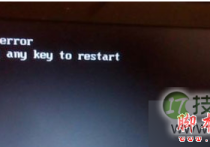
windows 7系统开机提示press any key to restart的故障分析及解
Windows 7 64位系统开机后提示"press any key to restart",无法进入系统了,具体现象如下所示: 故障分析: 故障的主要原因还是硬盘的问题,可以先检查是不是接触不良或坏了,进行修复或更换即可。 解决方法: 1、开机按F8不动到高级选项出现在松手,选“...

各个都很实用:windows 7系统电脑日常小技巧
在使用Windows 7的时候很多用户对于系统的很多功能并不是很了解,也正是因为这样的不了解导致很多用户在使用Win 之后并不能体验Windows 7的功能便携和强大功能,导致很多用户对于Windows 7的认识还是比较模糊,不过为了让更多的朋友了解Windows 7的特点和便携应用,今天就为大家汇...
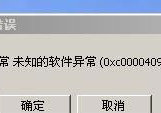
windows 7旗舰版系统提示应用程序错误代码0xc0000409的故障原因
问题现象,具体如下所示: 故障分析: 一般来说,出现这种情况是因为电脑误删系统文件或者是系统文件被顽固木马破坏。 解决方法: 1、下载360安全卫士,找到里面的急救箱开始急救,然后进行修复,完成后重新启动; 2、下载瑞...
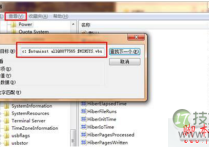
windows 7系统下Windows服务被流氓软件注册怎么办?Windows服务
解决方法: 其实处理这些使用流氓软件,需要将相关的.exe文件删除,使它不能再运行,或者直接清除这个服务本身,使计算机重启的时候,它不会再启动。比如Hijackthis扫描,在扫描日志中,一般会把非Windows系统的服务以023的方式列出来,如下面这段: O23 - ...
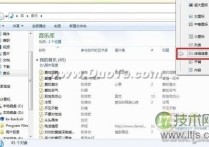
windows7系统下让所有文件夹都使用同一种视图的方法
Windows 7系统可以对每个文件夹进行个性化视图设置,可以根据自己的个人喜好和实际需要更改文件或文件夹图标的大小,或者让文件或文件夹以列表、平铺等方式显示。但是,假如你对N个文件夹视图进行了风格各异的个性设置,现在又想让所有文件夹都使用同一种视图怎么办呢 手工一个一个修改,你OUT了,非累得手抽...

windows 7玩网游PING高即网络延时比较高的解决方法
经常听见有人说用Windows 7玩网络游戏的时候网络延时比较高,也就是ping比平时xp的时候高一点,一直找不到原因,很苦恼。今天我们终于找到理由了,原来是Windows 7的一个服务在作怪,这个服务叫:Multimedia Class Scheduler,就是这个服务让我的PING如此高,问题是...